文件上传
1、文件上传工具类封装
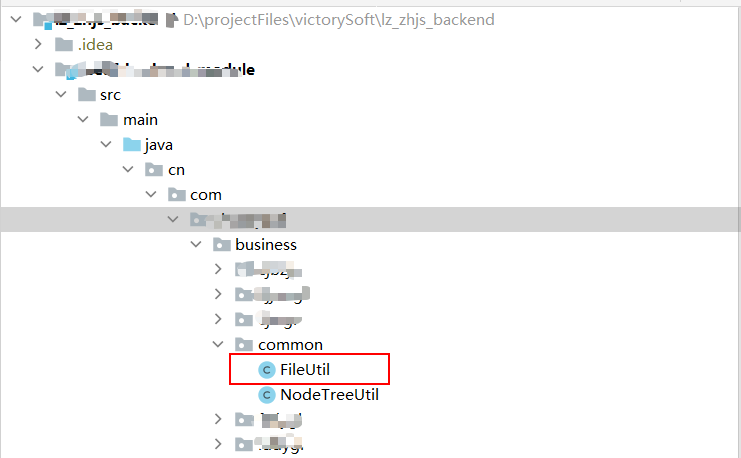
FileUtil.java
import org.springframework.beans.factory.annotation.Value;
import org.springframework.stereotype.Component;
import org.springframework.web.multipart.MultipartFile;

import java.io.File;
import java.io.IOException;
import java.text.SimpleDateFormat;
import java.util.*;

@Component
public class FileUtil {
    private static String uploadFolder;
    private static String staticPath;

    @Value("${file.uploadFolder}")
    public void setUploadFolder(String uploadFolder) {
        this.uploadFolder = uploadFolder;
    }

    @Value("${file.staticPath}")
    public void setStaticPath(String staticPath) {
        this.staticPath = staticPath;
    }

    // 单文件上传
    public static Map fileUpload(MultipartFile multipartFile, String dir) {
        try {
            String realfilename = multipartFile.getOriginalFilename();//上传的文件 aaa.jpg
            //截取文件名的后缀
            String fileSuffix = realfilename.substring(realfilename.lastIndexOf("."));//.jpg
            // 生成唯一的文件名
            String newFileName = IDUtils.getUUID32().toString() + fileSuffix;//pgpsdasdacasasds.jpg
            //日期目录
            SimpleDateFormat dateFormat = new SimpleDateFormat("yyyy/MM/dd");
            String datePath = dateFormat.format(new Date());
            //制定文件上传的目录
            File targetPath = new File(dir == null ? uploadFolder : (uploadFolder + dir), datePath);//生成一个最终的目录D://temp/ss/2021/07/11
            if (!targetPath.exists()) targetPath.mkdirs();//如果目录不存在 会递归创建D://temp/ss/2021/07/11
            //指定文件上传的完整的文件名
            File targetFileName = new File(targetPath, newFileName);
            multipartFile.transferTo(targetFileName);
            String filename = dir == null ? (datePath + "/" + newFileName) : (dir + "/" + datePath + "/" + newFileName);
            // return staticPath + "/upload/" + filename;
            Map fileMap = new HashMap<>();
            fileMap.put("realfilename", realfilename);
            fileMap.put("fileSize", multipartFile.getSize());
            fileMap.put("fileExt", fileSuffix);
            fileMap.put("fileType", multipartFile.getContentType());
            fileMap.put("fileRealPath", dir == null ? datePath + "/" + newFileName : "/" + datePath + "/" + newFileName);
            fileMap.put("fileName", newFileName);
            return fileMap;
        } catch (IOException e) {
            e.printStackTrace();
            return null;
        }
    }


    // 多文件上传
    public static List fileUpload(MultipartFile MultipartFiles[], String dir) {
        List filesList = new ArrayList<>();
        for (MultipartFile multipartFile : MultipartFiles) {
            filesList.add(fileUpload(multipartFile, dir));
        }
        return filesList;
    }
}
2、在配置文件中配置文件上传的路径以及基本参数
application.properties
#文件上传
spring.servlet.multipart.enabled=true
#单个大小文件
spring.servlet.multipart.max-file-size=12MB
#设置总上传的数据大小
spring.servlet.multipart.max-request-size=10MB
#当文件达到多少时进行磁盘写入
spring.servlet.multipart.file-size-threshold=20MB
#设置临时目录
file.staticPatternPath=/upload/**
#file.uploadFolder=/home/images/
file.uploadFolder=C:/images/
file.staticPath=http://27.195.3.119:6223
3、配置本地资源映射路径
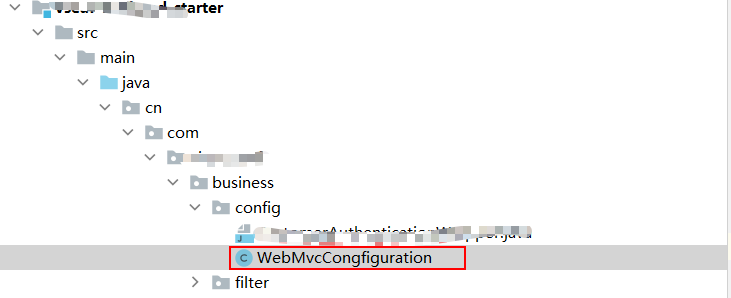
WebMvcCongfiguration.java
import org.springframework.beans.factory.annotation.Value;
import org.springframework.context.annotation.Configuration;
import org.springframework.web.servlet.config.annotation.ResourceHandlerRegistry;
import org.springframework.web.servlet.config.annotation.WebMvcConfigurer;

@Configuration
public class WebMvcCongfiguration implements WebMvcConfigurer {


    @Value("${file.staticPatternPath}")
    private String staticPatternPath;
    @Value("${file.uploadFolder}")
    private String uploadFolder;

    //    这个就是springboot中springmvc让程序开发者去配置文件上传的额外的静态资源服务的配置
    @Override
    public void addResourceHandlers(ResourceHandlerRegistry registry) {
        registry.addResourceHandler(staticPatternPath).addResourceLocations("file:" + uploadFolder);
    }
}
4、文件上传接口使用
@ApiOperation("文件上传测试")
@PostMapping("/uploadFile")
public JsonMessage uploadFile(@RequestParam("file") MultipartFile file, HttpServletRequest request) {
    try {
        String dir = request.getParameter("dir");
        Map fileMap = FileUtil.fileUpload(file, dir);
        return new JsonMessage().success();
    } catch (Exception e) {
        e.printStackTrace();
        return new JsonMessage().failure();
    }
}